Fish for Secret Animals How to Redeem Codes
Open Settings, enter FISHFORANIMALS exactly, and confirm Rainbow Worms land in your inventory.
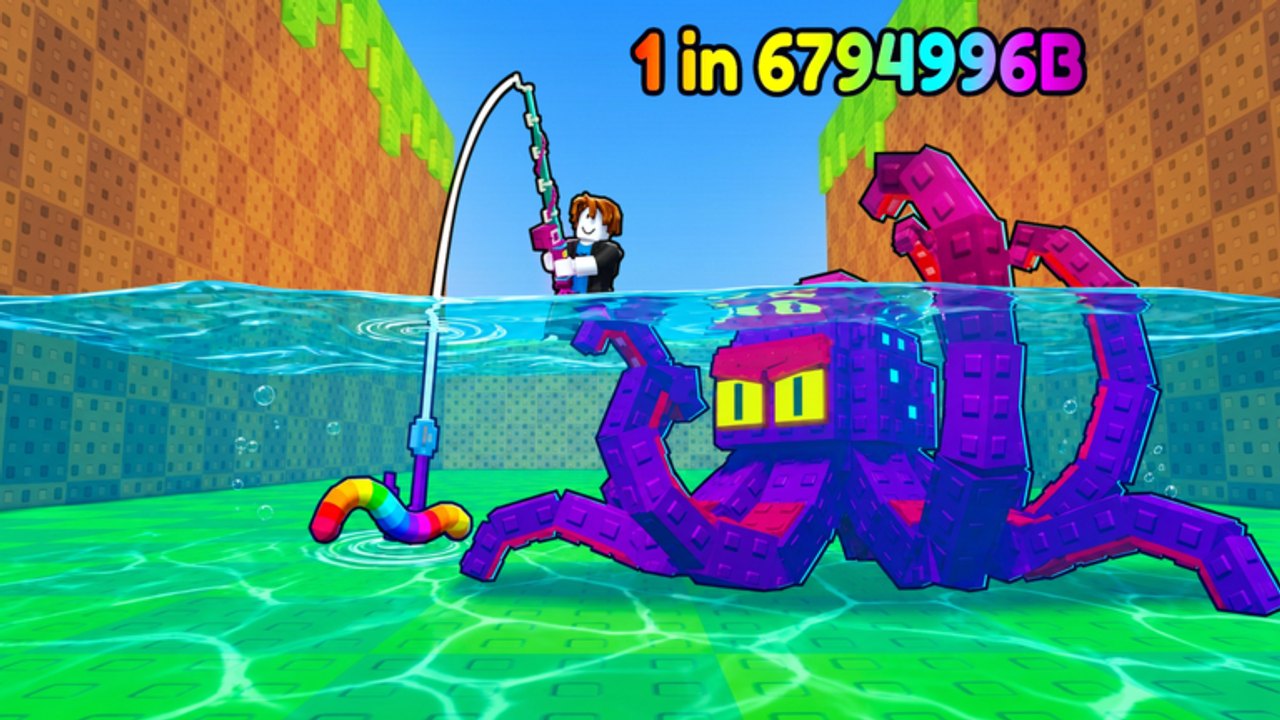
Redeeming codes is the fastest early boost in Fish for Secret Animals!—Chill Shark’s Roblox fishing sim (formerly Catch Rare Fish). This walkthrough shows the exact Settings path, how to type codes without case mistakes, what to do when redeem fails, and how to spend the bait afterward. For the live active list, always cross-check the Codes Hub.
As of the November 2026 wiki snapshot, the verified active code is FISHFORANIMALS, which grants 3 Rainbow Worms and 1 Jackpot Bait.
Step-by-step redeem
- Launch the official experience from Roblox place ID
107192230357786(or the Play Now link). - Wait until the full HUD loads—do not mash menus during the join fade.
- Click Settings in the top-right of the screen.
- Find the Enter code field (scroll inside Settings if your UI scale hides it).
- Type or paste the code exactly. Codes are case-sensitive.
- Press REDEEM.
- Open your inventory / bait list and confirm Rainbow Worms and Jackpot Bait arrived.
If nothing appears, do not spam redeem twenty times. Use the troubleshooting table below once, then rejoin the server.
Active code reminder
| Code | Rewards | Notes |
|---|---|---|
FISHFORANIMALS | 3 Rainbow Worms + 1 Jackpot Bait | Case-sensitive; Settings → Enter code → REDEEM |
Rainbow Worms provide a large Luck spike (about +100) and a guaranteed Perfect Cast. Jackpot Bait triggers a Jackpot cast window for peak attempts. Full usage advice lives in the Perfect Cast & bait guide and the Bait Tier List.
Mobile vs desktop tips
- Desktop: fullscreen helps you hit the Settings button without misclicks.
- Mobile: rotate to landscape if the Enter code box sits under the thumb zone; zoom UI scale carefully so the REDEEM button stays tappable.
- Gamepad / touch mix: confirm text focus is actually in the code box before typing.
- High latency: wait for inventory refresh after REDEEM before assuming failure.
Servers cap at 5 players. A hitchy instance can make the Settings UI feel dead—hop once if buttons ignore input.
Troubleshooting failed redemptions
| Symptom | Likely cause | Fix |
|---|---|---|
| Invalid / unknown code | Typo or wrong case | Retype FISHFORANIMALS exactly |
| Already redeemed | One successful claim per account | Stop retrying; check bait inventory |
| No popup, no bait | Lag or UI glitch | Rejoin, reopen Settings, redeem once |
| Worked yesterday, fails today | Code expired after a patch | Recheck the Codes Hub |
| Cannot find Enter code | Wrong menu / UI scale | Top-right Settings; scroll; try fullscreen |
| Roblox maintenance | Platform outage | Wait; redeem is not a separate website |
Never download “code generator” executables. Real codes come from Chill Shark surfaces and verified lists like this wiki.
What to do immediately after redeeming
- Stash the bait—do not equip Rainbow Worms on your very first tutorial casts.
- Finish or skim Getting Started so selling and upgrades make sense.
- Free animal pen space before any premium hunt.
- Warm up Perfect Casts on cheap worms.
- Spend Rainbow Worms or Jackpot Bait in a biome worth the attempt (Biomes fishing guide, Secret hunt guide).
Players who automate should still redeem manually, then configure helpers on the Scripts Hub so auto-bait rules do not burn S-tier rewards overnight.
Where new codes appear
Watch these official-leaning channels—not random comment spam:
- Roblox experience description / update entries for place
107192230357786 - Chill Shark community posts and shout-outs
- In-game banners after content drops
- Creator videos that show on-screen redeem proof (we embed a real codes video mid-page)
When a new string appears, we add it to the Codes Hub active table and retire dead codes instead of leaving traps.
Why redeeming matters for progression
Codes inject the same resources the economy normally farms: luck-leaning bait that accelerates secrets, mutations, sea beasts, and legendaries. They do not replace rods, pull-ups, or pen upgrades forever, but they compress the painful early hours. Combine redeeming with daily gifts and smart selling so coin income still funds gear upgrades.
Common mistakes
- Typing
fishforanimalsin lowercase and assuming the code died. - Redeeming, then AFK-casting with Jackpot Bait still equipped.
- Ignoring inventory confirmation and double-spending panic.
- Redeeming on a private knockoff place instead of the official Chill Shark experience.
- Skipping pen space and force-selling the rare that the free bait finally produced.
Quick checklist
- Official place loaded
- Settings → Enter code
- Exact capitalization
- Single REDEEM press
- Inventory confirmed
- Bait stored until hunt plan is ready
Master this flow once and every future Chill Shark code drop takes under a minute. Then get back on the water.
Frequently Asked Questions
Quick answers about codes, secret animals, mutations, and luck upgrades.
Where do I redeem Fish for Secret Animals codes?
Open Settings from the top-right, type the code in the Enter code box, and press REDEEM. Confirm bait appears in your inventory.
What does FISHFORANIMALS give?
Three Rainbow Worms and one Jackpot Bait. Rainbow Worms boost Luck and guarantee a Perfect Cast; Jackpot Bait enables Jackpot casts.
Are codes case-sensitive?
Yes. Type FISHFORANIMALS exactly as shown. Lowercase or mixed typos usually return invalid.
Why did my redeem fail?
Check spelling, prior redeem status, server lag, and whether the code expired. Rejoin once and retry a single time before assuming it is dead.
Should I use code bait immediately?
Store it until you understand Perfect Cast timing and have free animal pen space, then spend it on a planned hunt.